Purpose
Get hyperbolic secant of a complex number
Return value
The hyperbolic secant of a complex number
Syntax
=IMSECH(complex_num)- complex_num - The number to get the inverse hyperbolic secant of.
Using the IMSECH function
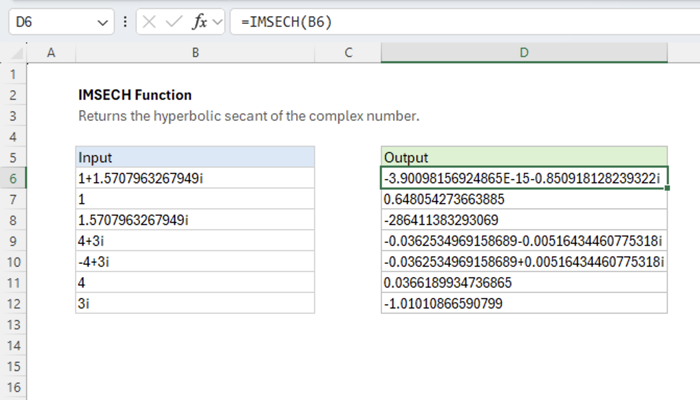
The Excel IMSECH function returns the hyperbolic secant of a complex number. Given “1+1.5707963267949i” as input, the function returns “-3.9E-15-0.85092i” as output.
=IMSECH(COMPLEX(1, PI()/2)) // returns -3.9E-15-0.85092i
Explanation
The complex hyperbolic secant function is the reciprocal of the complex hyperbolic sine function.

In Excel, the function’s output is equivalent to the following formula.
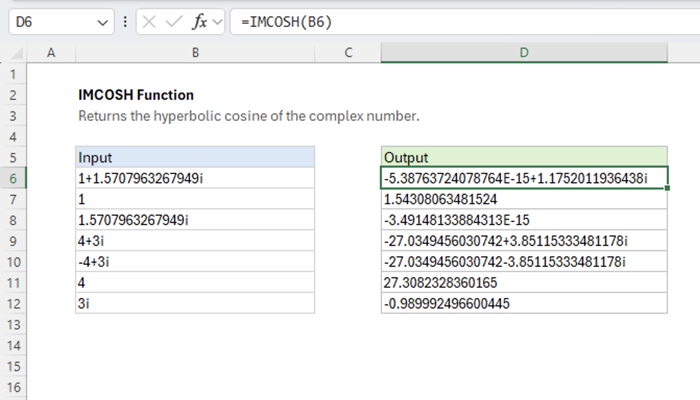
=IMDIV(1,IMCOSH(z)) // equivalent to IMSECH(z)