Purpose
Converts a decimal number to binary
Return value
Binary number
Syntax
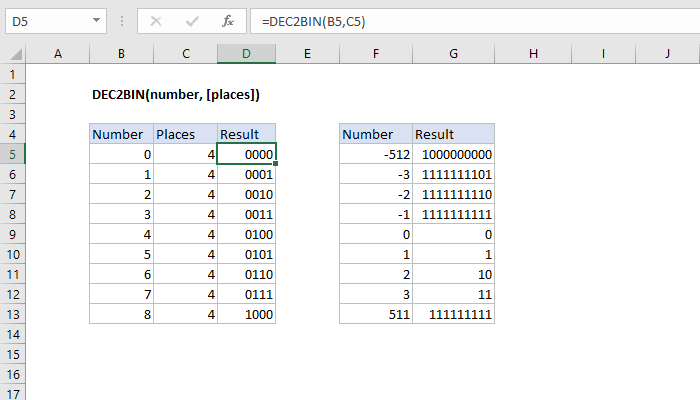
=DEC2BIN(number, [places])- number - The decimal number you want to convert to binary.
- places - [optional] Pads the resulting binary number with zeros up to the specified number of digits. If omitted returns the least number of characters required to represent the number.
Using the DEC2BIN function
The input must be a valid number within the range [ -512, 511 ].
Errors